Risk assessment and waste classification
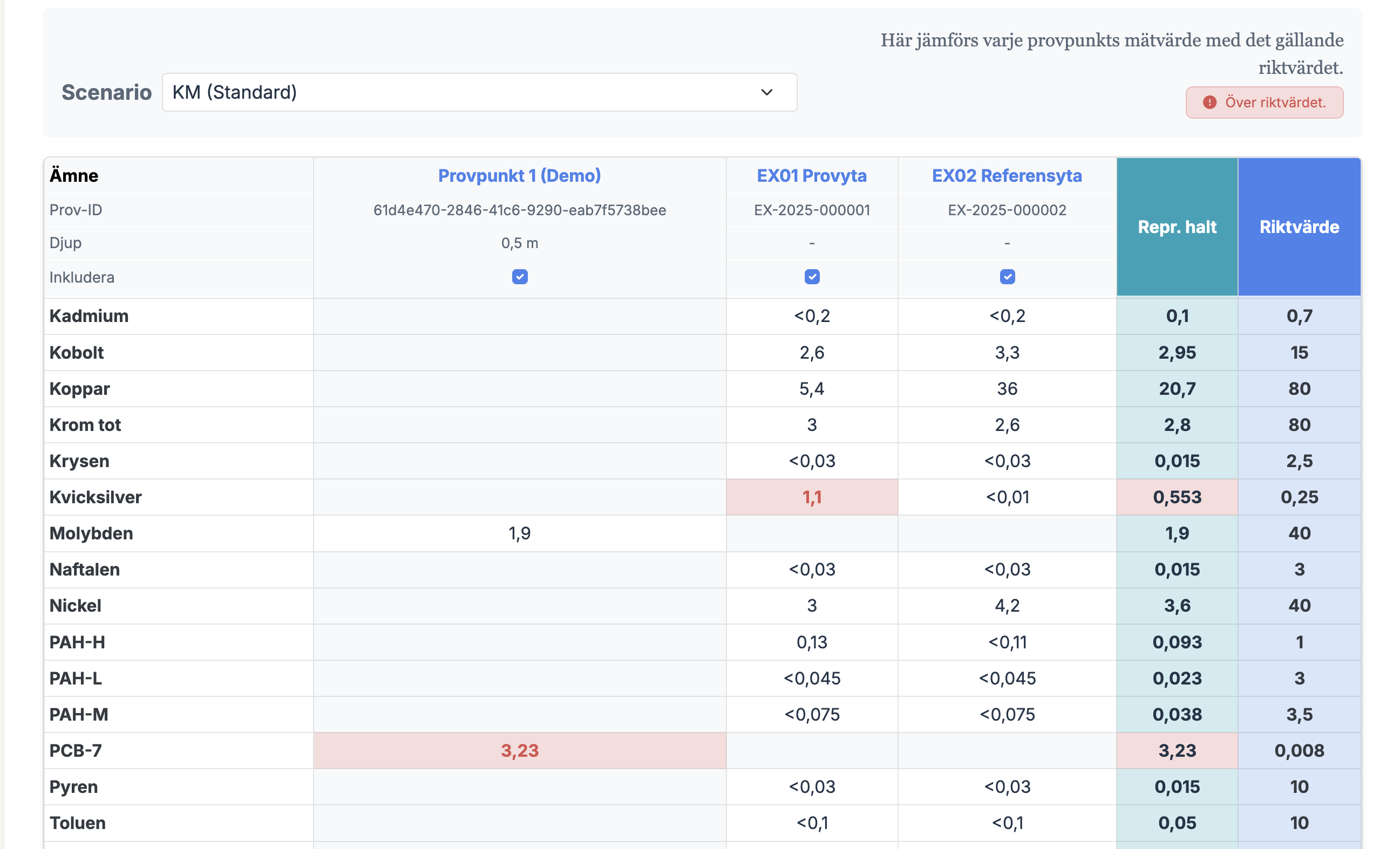
Use one method track or both: calculate site-specific guideline values according to Swedish EPA Report 5976, import lab data from ALS, Eurofins and SGS, and classify excavated soil against HP4-HP14.
Site-specific guideline values
Calculate site-specific guideline values across health, soil environment, groundwater, and surface-water pathways according to Swedish EPA Report 5976.
Shared lab data
Review and import ALS, Eurofins and SGS PDFs, or ALS and Eurofins Excel reports, and use the project data for guideline comparisons and waste classification.
Waste classification
Classify excavated soil against HP4-HP14 using ECHA Annex VI CLP data, manual HP handling, and PDF export.
How it works
Create a project
For your site or property. Invite colleagues as needed.
Choose workflow
Guideline values, waste classification, or both depending on the assignment.
Add data
Import a lab report, use a template, or enter concentrations manually.
Get guideline values and classification
Export traceable PDF deliverables for guideline values and waste classification.
Two method tracks
Calculating site-specific guideline values
Naturvårdsverket Rapport 5976
The guideline value calculation follows Swedish EPA Report 5976. Calculations are site-specific and driven by scenario, soil properties, hydrogeology, building data, and selected protection targets.
Exposure Pathways
Calculations cover ingestion, dermal contact, inhalation (dust/vapor), and protection of groundwater/surface water/soil eco-systems.
- Soil ingestion, dermal contact, dust inhalation
- Inhalation of vapors (indoor & outdoor)
- Drinking water intake
- Protection of soil ecosystem
- Protection of groundwater
- Protection of surface water
The Limiting Value
The final guideline value is the lowest of Health risks, Environmental risks, and Physical constraints.
Waste classification
CLP, HP properties, POPs and PDF
Waste classification is used when excavated material or other material becomes waste. It is not a site-specific risk model; it is a concentration-based classification of a defined batch of waste.
Want to know more about waste classification?
The deep dive describes what the tool calculates automatically, the POP screening, and what the consultant must assess themselves. Waste classification can also be run entirely standalone — you do not need to configure scenario parameters or calculate guideline values.
HP4-HP14 with CLP data
The tool calculates the HP properties that can be assessed from concentrations and harmonised CLP classifications. HP1, HP2, HP3, HP9 and HP15 normally require manual assessment; HP12 is handled separately from relevant EUH statements and substance-specific evidence.
POP screening
Parameters marked POPs are screened in parallel with the HP assessment against the concentration limits in the POPs Regulation (EU 2019/1021).
Deliverable PDF
The report shows the classification outcome, HP summary, triggering substances, reference substances, warnings, manual HP assessments, and method/responsibility text.
How it differs from guideline value calculation
The guideline value calculation provides site-specific guideline values as a basis for judging the concentrations at the site. Waste classification answers whether a batch of waste is hazardous or non-hazardous waste.
Adding data
Lab reports, Excel & manual entry
Analytical data can be added in three ways — direct import of lab reports, the system's Excel template, or manual entry. Whichever route you take, everything ends up in the same reviewed table that the calculations run on.
Lab reports
ALS, Eurofins and SGS PDFs are reviewed and confirmed before import. ALS and Eurofins Excel reports can be imported directly; analytes are mapped automatically to the right parameters.
Excel template
Download the system's Excel template, fill in the concentrations and import it — practical when data needs to be compiled or cleaned outside the system.
Manual entry
Type concentrations directly into the table for single samples, additions or control values.
Workflow & Structure
Projekt & Rapporter
One project, optional workflow
A project represents a site or engagement. You can classify only a waste batch, only calculate site-specific guideline values for the site, or combine both decisions when the assignment requires it.
Traceability
Reports show which inputs were used, which assumptions were made, and which parts were assessed by the user. Guideline values and waste classification export as separate PDF deliverables.
Ready to start?
Try the waste classification straight away without an account, or create a free account to save projects.